
ฟีเจอร์ใหม่ Slack ให้ผู้ใช้งานสามารถตั้งค่า ปิดรับทุกการแจ้งเตือนในวันหยุดได้ ใช้งานได้ทั้ง Slack เวอร์ชั่นฟรีและเสียเงิน และใช้งานได้ทั้งแอปบนพีซีและมือถือ

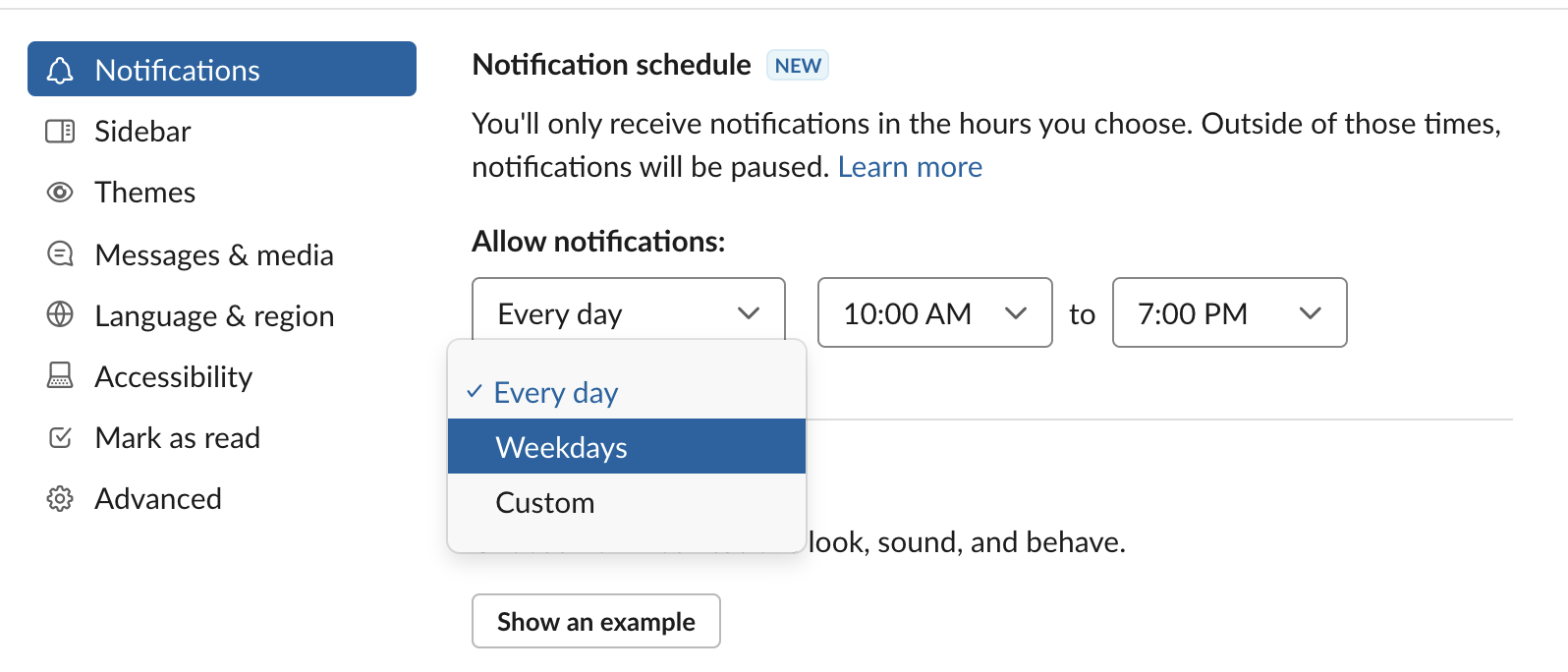
วิธีตั้งค่าในพีซี
- คลิกที่สามเหลี่ยมหัวทิ่มตรงหลังชื่อบริษัท
- กด Pause notifications
- กด Set notifications schedule
- กดเลือก Weekdays
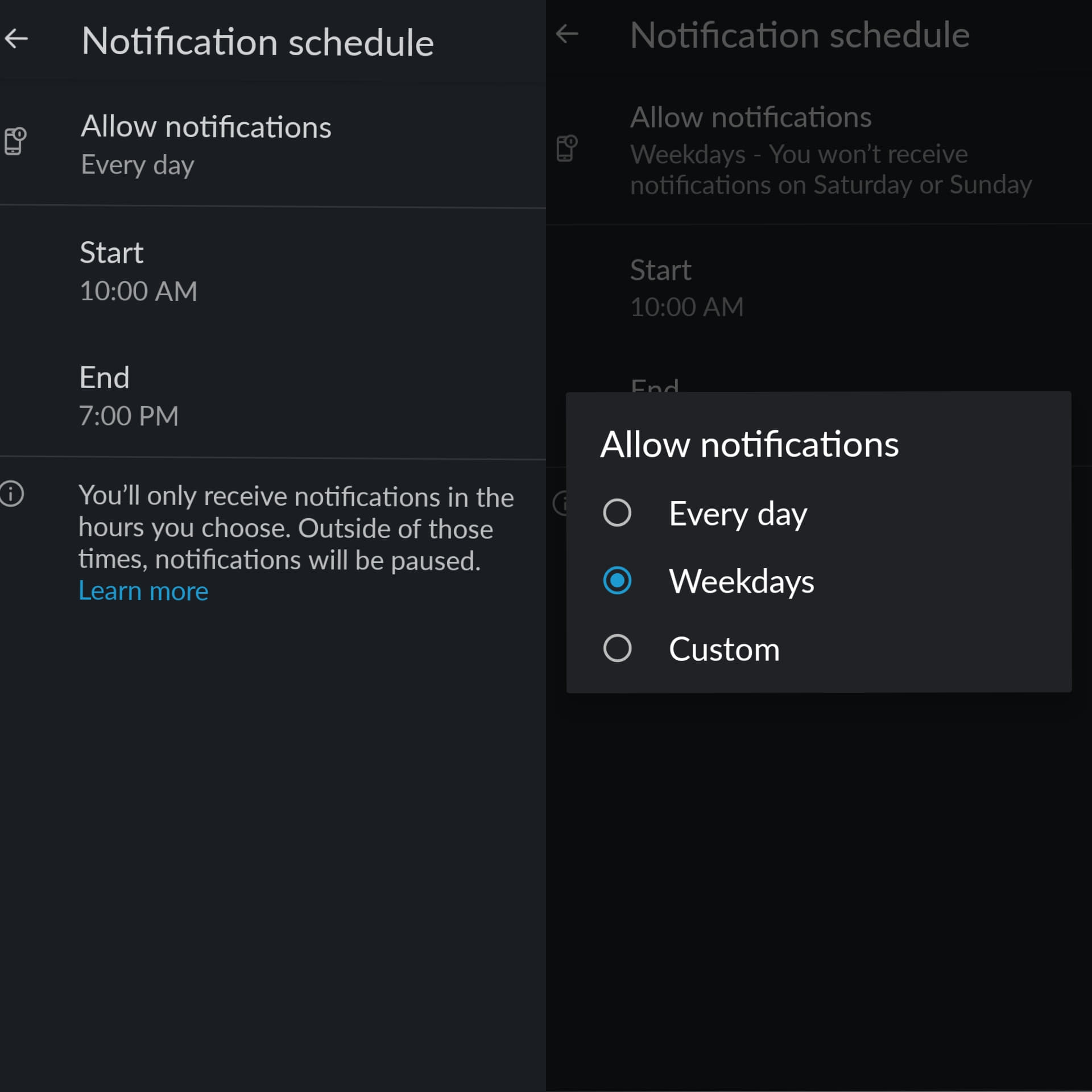
วิธีตั้งค่าในมือถือ
- กดปุ่ม You ที่มีไอคอนคล้ายรูปหน้าคน
- กด Notifications
- กด Notification Schedule
- กด Allow notifications
- เลือก Weekdays
ก่อนหน้านี้ Slack ก็ทำฟีเจอร์จำกัดช่วงเวลาการแจ้งเตือนที่ได้รับในแต่ละวันได้
It's the moment some of you have been waiting for! You may now customize your notifications on a per-day basis. If your schedule doesn't conform to traditional work hours, this one's for you. 🎁 https://t.co/VVSQvzNIbI pic.twitter.com/SLPUCW2NCf
— Slack (@SlackHQ) June 25, 2020
ที่มา - The Verge
Topics:
from Blognone https://www.blognone.com/node/117334
via IFTTT
